

AI Tools That Improve Productivity, Creativity and Digital Output
Feeling overwhelmed by endless AI tool lists? You’re not alone. Every week brings new promises to transform your workflow, but most tools are just noise.
This guide cuts through the clutter. Here are 10 AI tools people are actually using to create faster, think clearer, and produce better work.
1. Midjourney — Professional AI Images That Look Real
Tired of AI-generated images that scream “fake”? Midjourney creates cinematic, high-quality visuals that rival professional photography.
Perfect for:
- Pinterest-worthy graphics and pins
- Brand visuals and mood boards
- Social media content
- Concept art and digital illustrations
Why it works: Midjourney understands lighting, composition, and artistic styles. The more detailed your description, the more stunning your results.
Best for: Content creators, designers, small business owners, Pinterest creators
2. Runway — Create Videos Without Video Editing Skills
Runway makes professional video creation accessible to everyone.
What you can do:
- Turn text into video clips
- Remove backgrounds instantly
- Add dynamic motion effects
- Extend scenes with AI
Popular uses:
- Pinterest video pins
- Product demonstrations
- Social media reels
- YouTube content
Time saver: Tasks that took hours in complex editing software now take minutes.
Best for: Social media creators, marketers, entrepreneurs
3. ChatGPT — Your 24/7 Creative Partner
Stop using ChatGPT like a search engine. Use it as your thinking partner.
How to maximize it:
- Brainstorm content ideas
- Refine your writing
- Organize scattered thoughts
- Get unstuck when creativity hits a wall
Content creators use it for Pinterest descriptions, blog outlines, and caption ideas. It doesn’t replace your creativity—it amplifies it.
Best for: Everyone creating digital content
4. Notion AI — Transform Chaos Into Clarity
If your ideas, notes, and to-do lists are everywhere, Notion AI brings instant organization.
Key features:
- Summarize lengthy notes
- Convert bullet points into polished documents
- Clarify messy thoughts
- Generate actionable task lists
Why it matters: Clear thinking leads to better content. Notion AI helps you get there faster.
Best for: Bloggers, planners, small business owners, teams
5. Gamma — Beautiful Presentations in Minutes
Creating presentations shouldn’t drain your energy. Gamma removes the pain of starting from scratch.
How it works: Give Gamma your topic and rough ideas. It delivers structured slides with clean design and logical flow.
Popular uses:
- Pitch decks
- Educational content
- Client presentations
- Visual reports
Best for: Entrepreneurs, educators, professionals, coaches
6. Leonardo AI — Professional Design Assets on Demand
Need graphics but don’t have a design team? Leonardo AI bridges the gap between professional tools and user-friendly apps.
Create:
- Custom illustrations
- App and website graphics
- Icons and visual elements
- Product mockups
Best for: Indie creators, startup founders, DIY designers
7. Synthesia — Professional Videos Without a Camera
Create polished video content using just text—no filming required.
What makes it special:
- AI avatars that look professional
- No camera, microphone, or studio needed
- Multiple languages available
Ideal for:
- Training content
- Explainer videos
- Business communications
- Educational materials
Best for: Businesses, educators, course creators
8. Perplexity — Research Without the Clutter
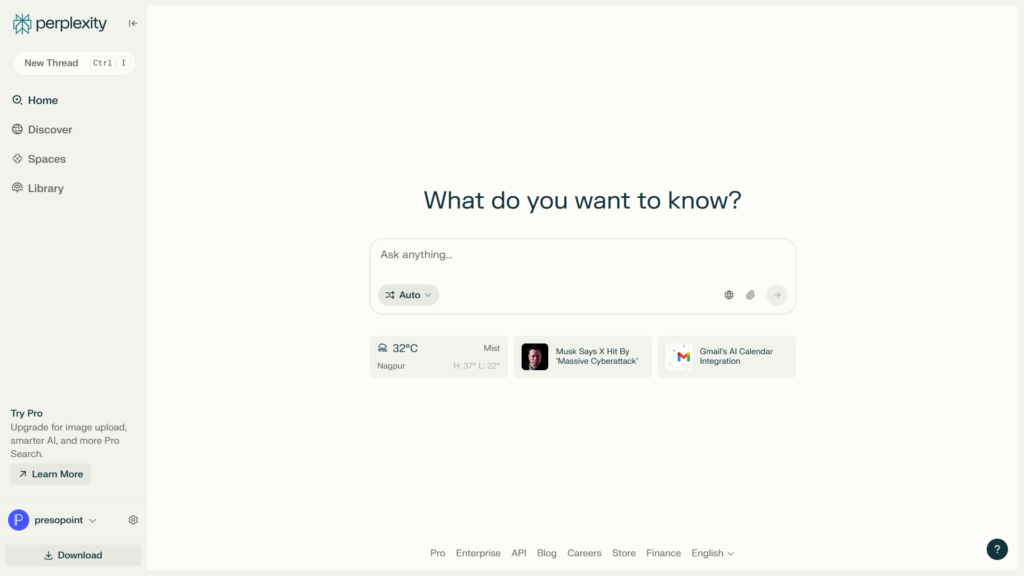
Think of Perplexity as Google without the ads, spam, and endless scrolling.
What you get:
- Direct, clear answers
- Credible sources cited
- Suggested follow-up questions
Perfect for:
- Quick research
- Fact-checking content
- Learning new topics fast
Best for: Writers, researchers, curious minds
9. ElevenLabs — AI Voices That Sound Human
ElevenLabs produces the most realistic AI voices available today.
Popular applications:
- Audiobook narration
- YouTube voiceovers
- Product demos
- Accessibility features
The emotional tone and natural delivery set it apart from robotic text-to-speech tools.
Best for: Content creators, educators, podcasters
10. Cursor — AI-Powered Code Editor for Developers
Cursor is transforming how developers write code by integrating AI directly into the coding experience.
What makes it special:
- AI-assisted code writing and completion
- Natural language code generation
- Intelligent debugging and refactoring
- Chat with your entire codebase
How it helps: Developers describe what they want to build in plain language, and Cursor helps write the actual code. It understands context across your entire project.
Popular uses:
- Building websites and apps faster
- Learning new programming languages
- Debugging complex code
- Automating repetitive coding tasks
Best for: Developers, tech entrepreneurs, coding learners
11. N8N — Automate Your Workflow Without Coding
n8n is a powerful automation tool that connects your favorite apps and services using AI.
What you can automate:
- Social media posting schedules
- Data collection and organization
- Email marketing workflows
- Content distribution across platforms
Why it stands out: Unlike simple automation tools, n8n offers deep customization and AI integration. You can build complex workflows that handle repetitive tasks automatically.
Real-world examples:
- Auto-post new Pinterest pins when you publish blog posts
- Extract data from emails and add to spreadsheets
- Monitor mentions and send notifications
- Generate reports from multiple data sources
Best for: Entrepreneurs, marketers, productivity enthusiasts, small teams
12. NotebookLM — Your AI Research Assistant
NotebookLM by Google is a game-changer for anyone working with information and research.
What it does:
- Analyzes your documents, notes, and sources
- Answers questions based on your uploaded content
- Creates summaries and study guides
- Generates insights from multiple sources
The magic feature: Upload your research materials, and NotebookLM becomes an expert on that specific content. Ask questions, get citations, and explore connections you might have missed.
Perfect for:
- Content research and writing
- Student projects and studying
- Business analysis
- Organizing complex information
Why it’s different: Unlike general AI tools, NotebookLM works exclusively with YOUR sources, ensuring accurate, grounded responses.
Best for: Writers, students, researchers, content creators, professionals
The Real Secret: Focus Over Tools
Here’s the truth: AI tools are multipliers, not magic solutions.
Without these, tools won’t help:
- Clear goals and intention
- Consistent effort
- Your unique human judgment
The winning strategy: Choose 2-3 tools that fit your needs. Learn them deeply. Integrate them into your daily workflow.
That’s how you quietly pull ahead while others chase every shiny new tool.




Leave a Reply